win10英文系统如何查看已连接成功的WIFI密码
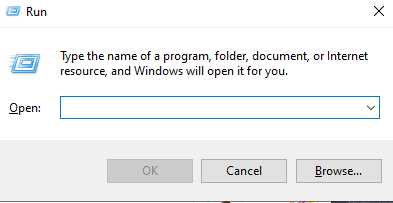
1、快捷键 Win + R ,打开运行窗口
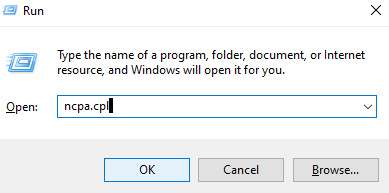
2、输入 ncpa.cpl 快速打开 网络连接 页面
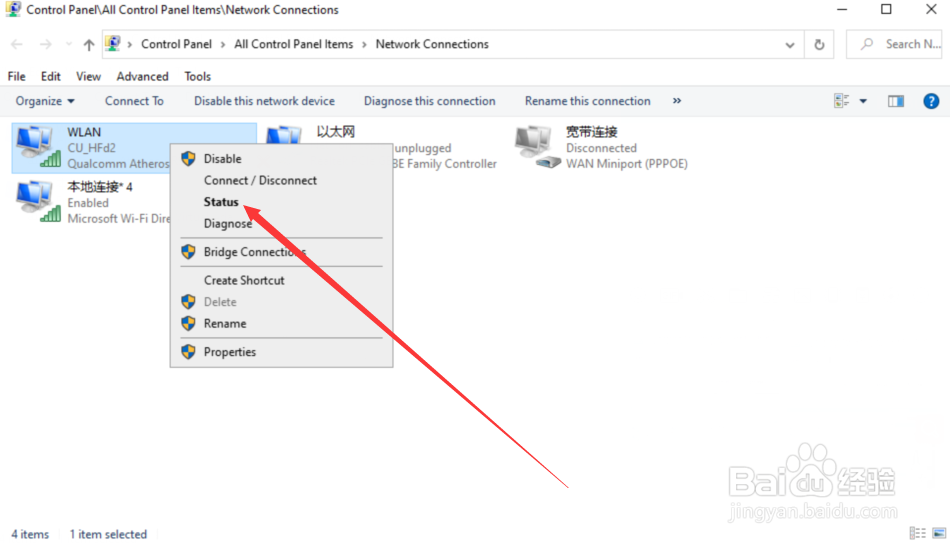
3、找到 WIFI 右击status
4、点击wreless properties

5、点击security

6、卡勾选 显示字符

7、看到当前wifi的密码

阅读量:72
阅读量:135
阅读量:66
阅读量:69
阅读量:68
1、快捷键 Win + R ,打开运行窗口
2、输入 ncpa.cpl 快速打开 网络连接 页面
3、找到 WIFI 右击status
4、点击wreless properties
5、点击security
6、卡勾选 显示字符
7、看到当前wifi的密码