windows server2012怎么启用与关闭防火墙?
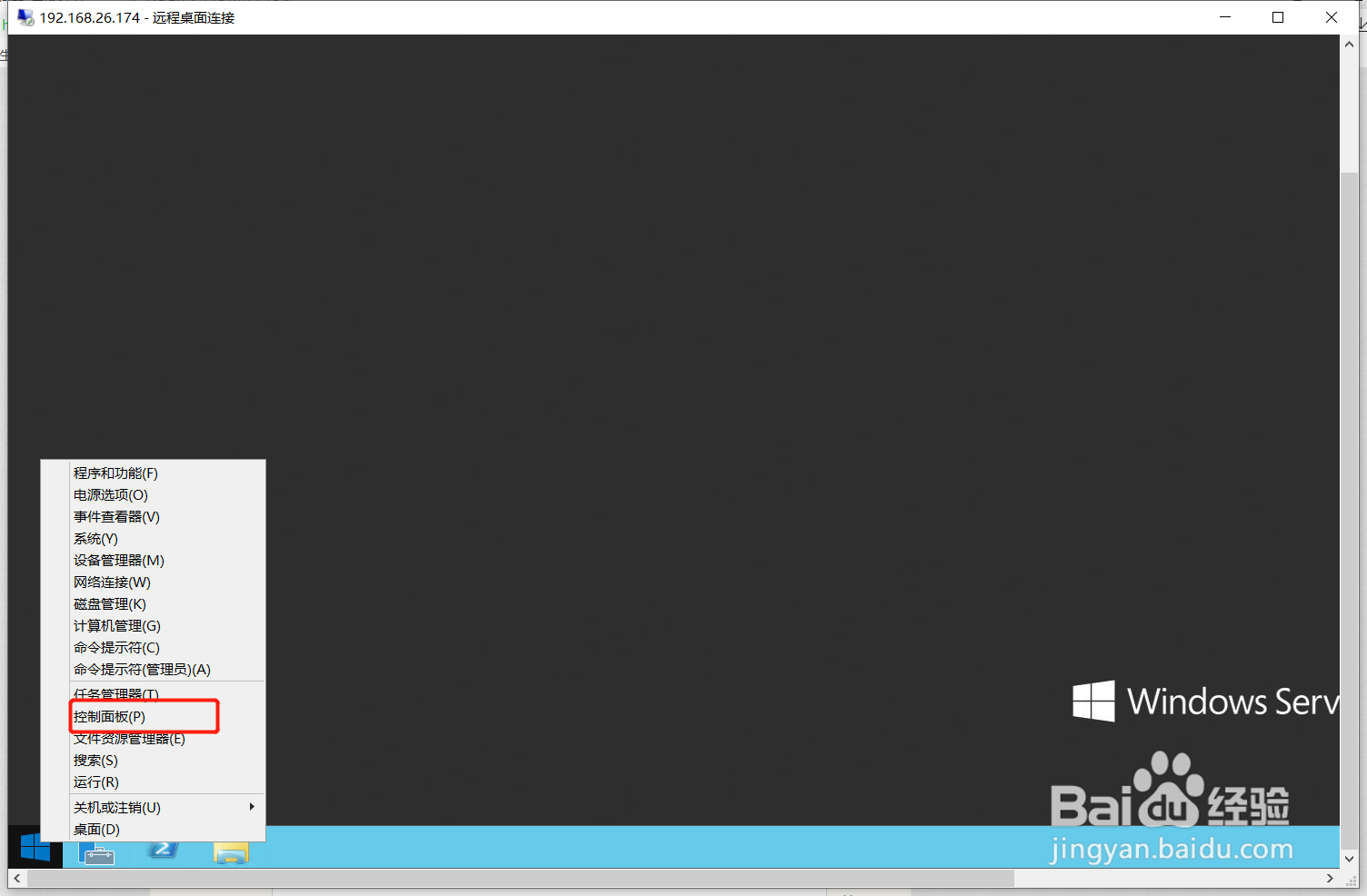
1、右键windows server2012右下角开始菜单,找到“控制面板”。
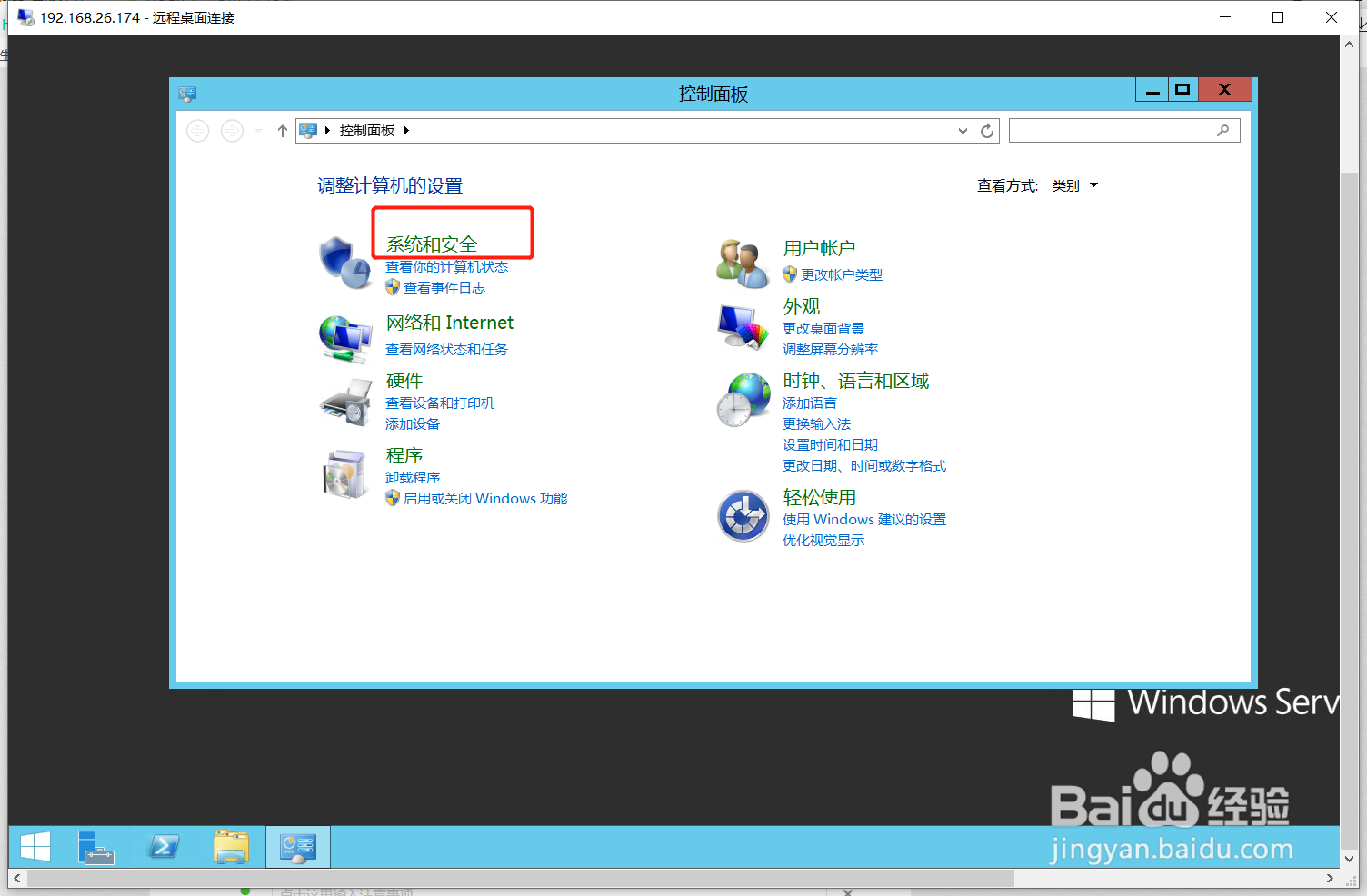
2、找到系“系统与安全”。
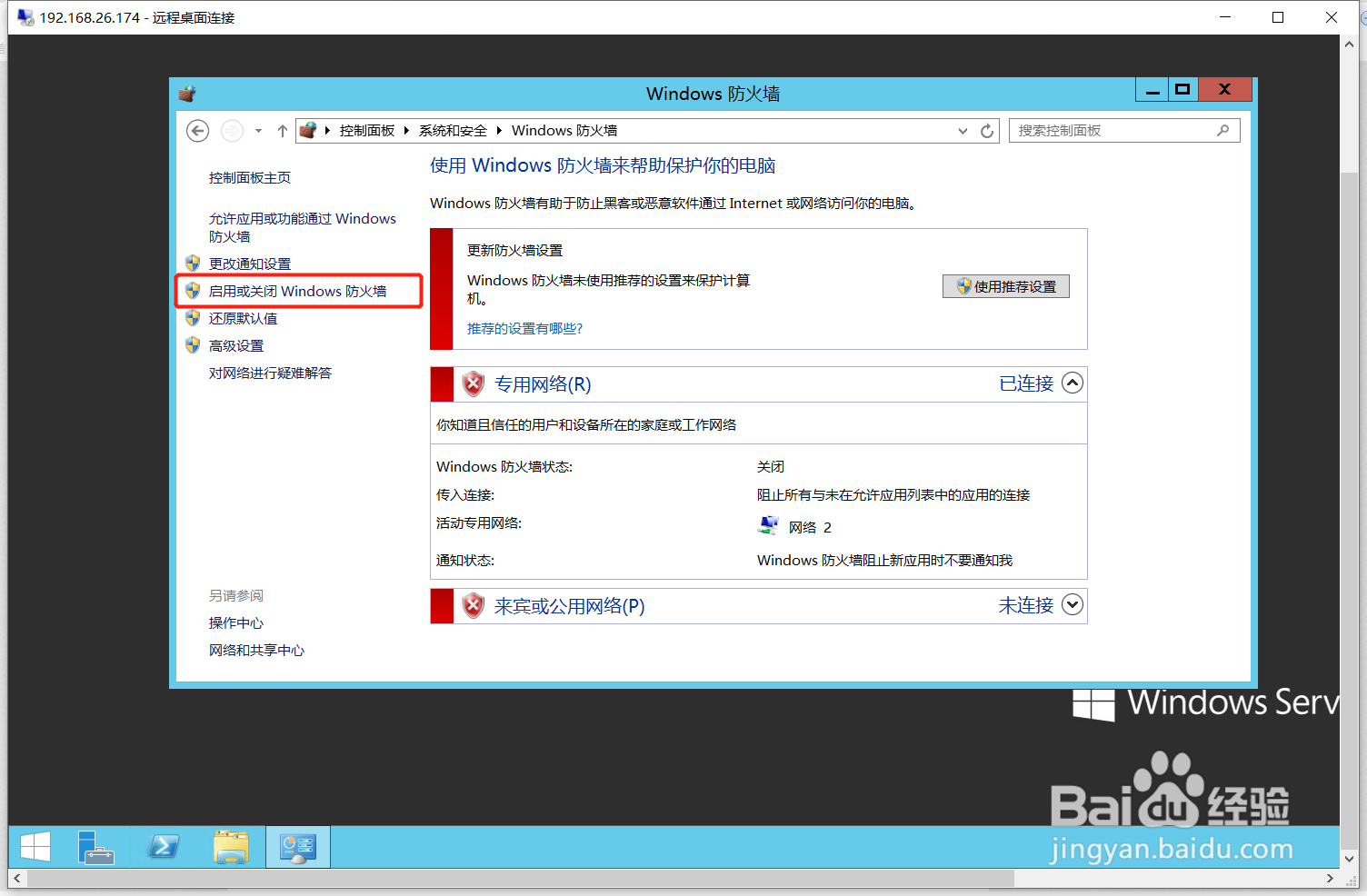
3、点击windows防火墙。

4、点击启用或关闭windows 防火墙。
5、根据需求启用或关闭防火墙。

6、本案例选择关闭防火墙,关闭之后就ping不通了。

阅读量:97
阅读量:79
阅读量:91
阅读量:36
阅读量:196
1、右键windows server2012右下角开始菜单,找到“控制面板”。
2、找到系“系统与安全”。
3、点击windows防火墙。
4、点击启用或关闭windows 防火墙。
5、根据需求启用或关闭防火墙。
6、本案例选择关闭防火墙,关闭之后就ping不通了。