centos服务器使用iostat命令
1、安装iostat,安装这个命令不是直接安装iostat,二是安装sysstat。
yum在线安装
# yum -y install sysstat

2、或者下载sys的rpm包,选择rpm安装。
#rpm -ivh sysstat-9.0.4-33.el6.x86_64.rpm

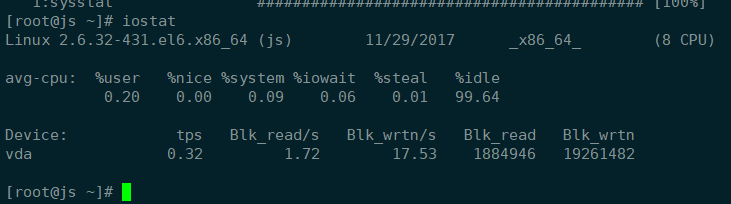
3、使用iostat命令。
#iostat
4、查看帮助。
#iostat --help
iostat 后面跟操作,然后是时间间隔,然后是统计次数。

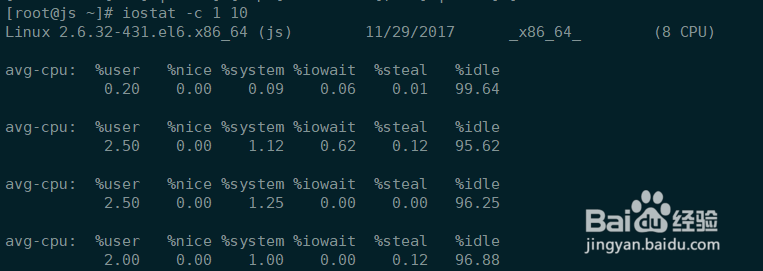
5、查看cpu使用情况。
#iostat -c 1 10
命令的含义是查看cpu,每秒搜集一次,共搜集10次。
从结果中可以看到idle,iowait信息。
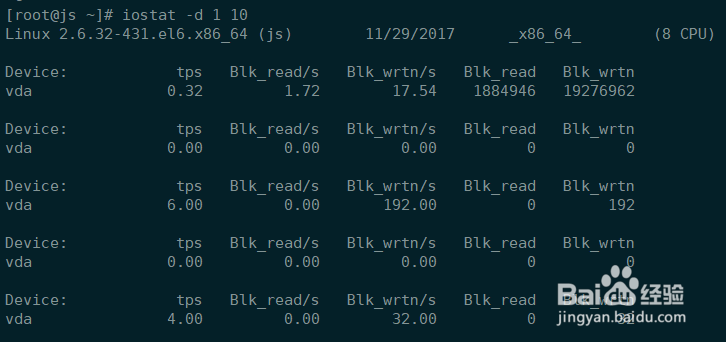
6、查看磁盘的读写情况。
#iostat -d 1 10
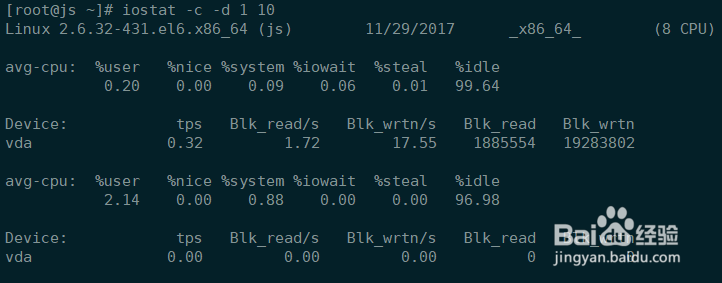
7、cpu和磁盘读写一起看。
#iostat -c -d 1 10
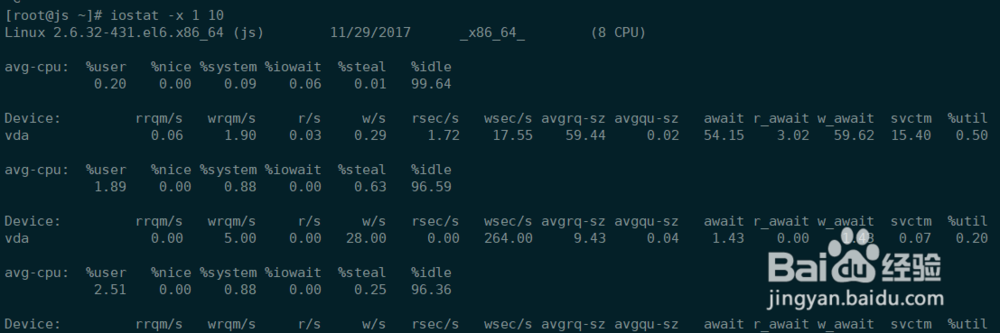
8、也可以执行命令:
#iostat -x 1 10
阅读量:49
阅读量:151
阅读量:148
阅读量:47
阅读量:190