指南经验网
首页
美食营养
生活百科
知识问答
生活知识
返回
指南经验网
首页
美食营养
游戏数码
手工爱好
生活知识
生活百科
健康养生
运动户外
职场理财
情感交际
母婴教育
时尚美容
知识问答
更多知识
搜索
钉钉app如何发起群接龙
2026-05-02 19:01:07
1、我们先打开钉钉主页后,点击需要发起接龙的群聊;
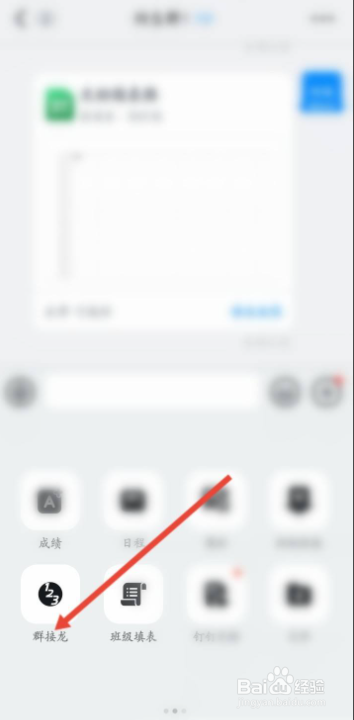
2、当我们进入群聊页面后,点击+号图标;
3、在展开的选项里,点击左下角的群接龙按键;
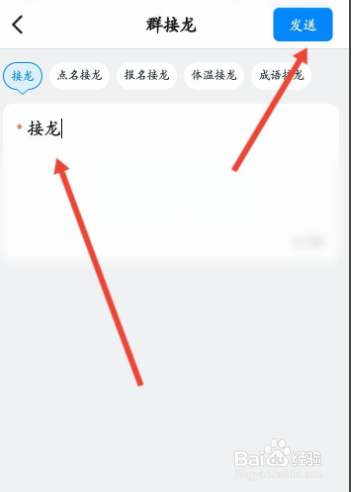
4、最后,我们输入接龙的内容,并点击发送即可。
相关推荐
钉钉怎么参与群接龙
阅读量:93
钉钉怎么发送点名接龙?
阅读量:54
钉钉怎么接龙
阅读量:149
钉钉群接龙如何使用
阅读量:126
钉钉接龙怎么操作
阅读量:123
猜你喜欢
养殖
美人尖适合什么发型
社保断了有什么影响
题记是什么意思
床单是什么
pickup是什么意思
维生素e软胶囊涂脸的正确用法
mall是什么意思
校运动会广播稿50字
wechat是什么
猜你喜欢
马台读什么
什么是条件反射
运动后吃什么
三反运动
单反相机什么意思
什么是bug
快手是什么软件
value是什么意思
original什么意思
mtu是什么