vs2010 c#显示行号
1、启动vs2010

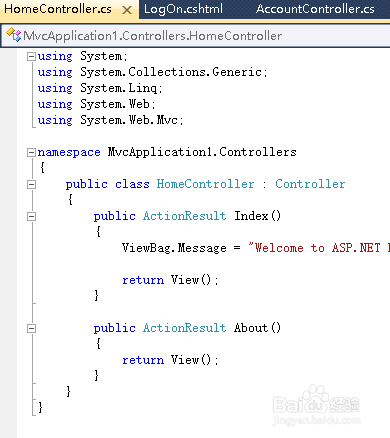
2、没有设置显示行号 之前 代码不容易阅读
3、找到菜单栏中的 tools
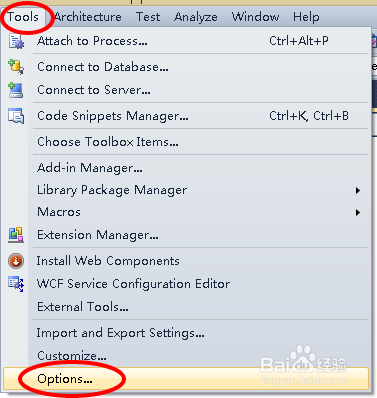
4、在tools 中找到options
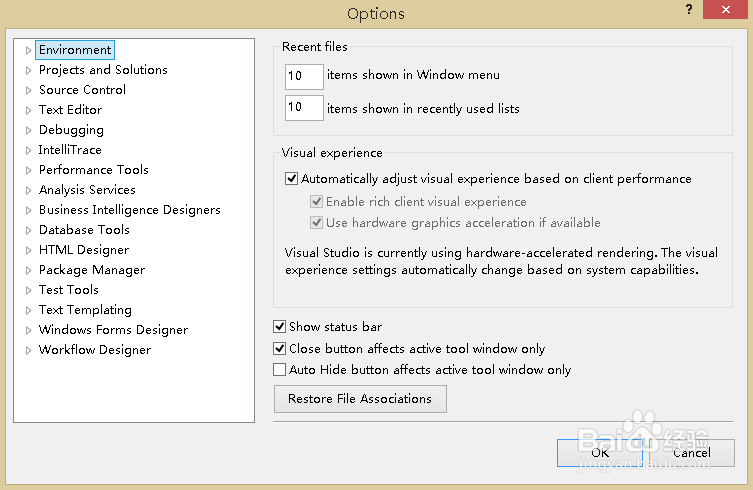
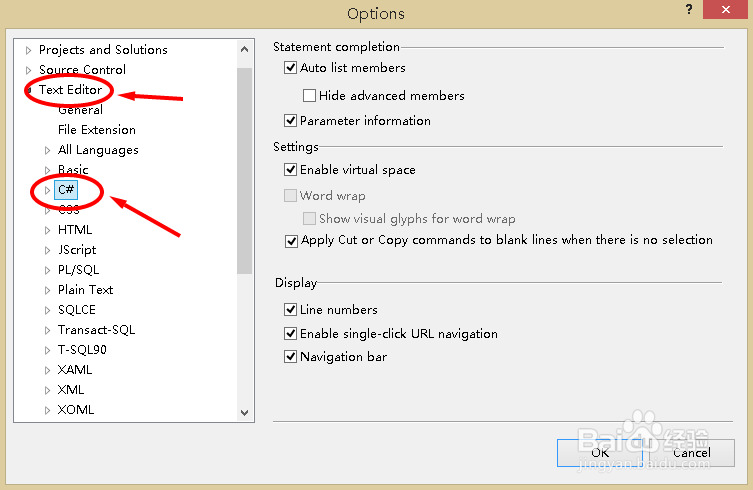
5、在options中找到text editor
在text editor中 找到c#
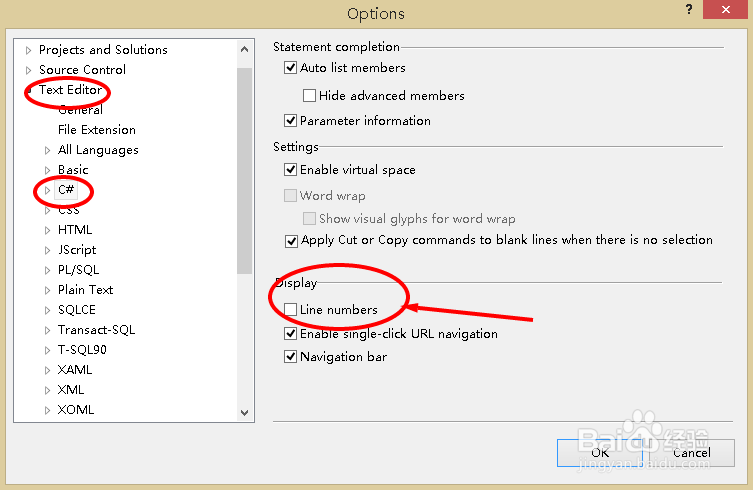
6、右侧display 中 就可以找到 line number
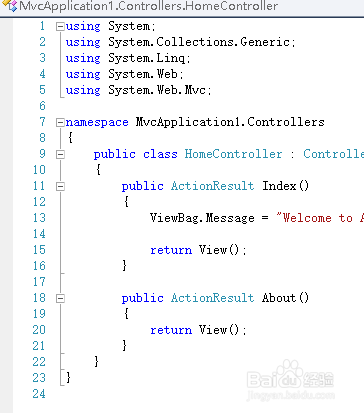
勾选之后 选择确认 就可以了
阅读量:189
阅读量:42
阅读量:86
阅读量:110
阅读量:31
1、启动vs2010
2、没有设置显示行号 之前 代码不容易阅读
3、找到菜单栏中的 tools
4、在tools 中找到options
5、在options中找到text editor
在text editor中 找到c#
6、右侧display 中 就可以找到 line number
勾选之后 选择确认 就可以了