苹果手机删除软件显示英文
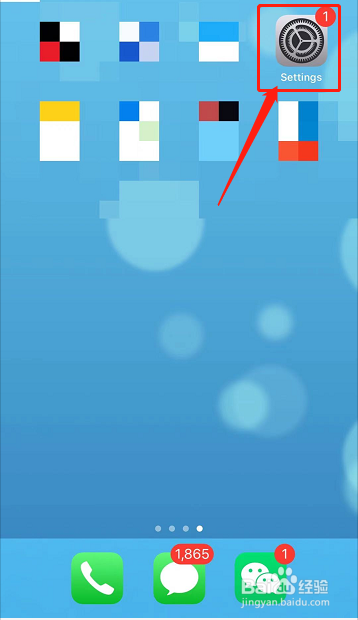
1、打开手机,点击Settings。
2、点击General。

3、点击Language&Region。

4、点击iPhone Language。

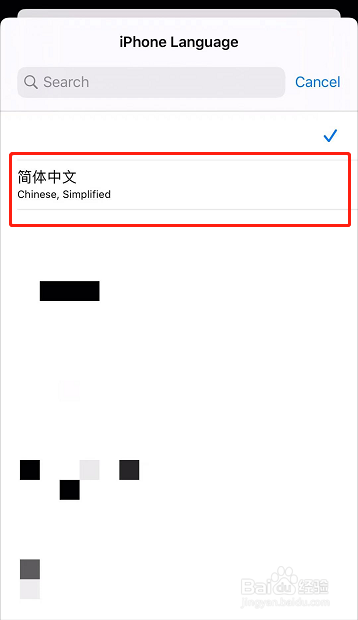
5、点击简体中文。
6、点击Change to Chinese,Simplified。

阅读量:108
阅读量:171
阅读量:184
阅读量:49
阅读量:95
1、打开手机,点击Settings。
2、点击General。
3、点击Language&Region。
4、点击iPhone Language。
5、点击简体中文。
6、点击Change to Chinese,Simplified。