VC获取当前时间(年月日,时分秒)
1、打开Visual C++,点击菜单“文件”-“新建”-“工程”,
输入工程名“GetCurrentTime”,点击“确定”。

2、选择“基于对话框”,点击“完成”。

3、加入一个按钮Button1,并双击,点击“确定”进去。
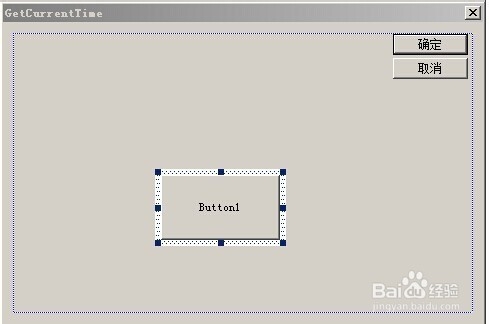
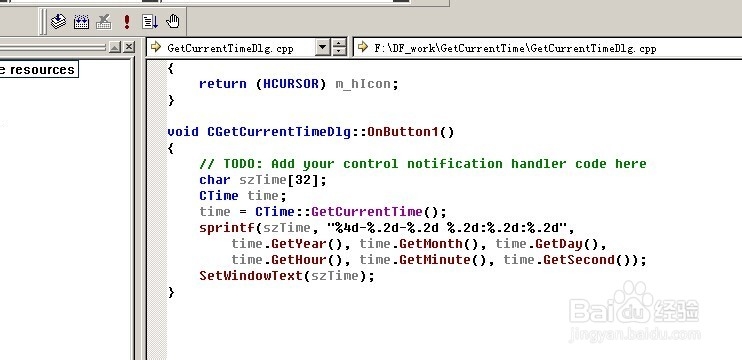
4、加入代码如下:
void CGetCurrentTimeDlg::OnButton1()
{
// TODO: Add your control notification handler code here
char szTime[32];
CTime time;
time = CTime::GetCurrentTime();
sprintf(szTime, "%4d-%.2d-%.2d %.2d:%.2d:%.2d",
time.GetYear(), time.GetMonth(), time.GetDay(),
time.GetHour(), time.GetMinute(), time.GetSecond());
SetWindowText(szTime);
}
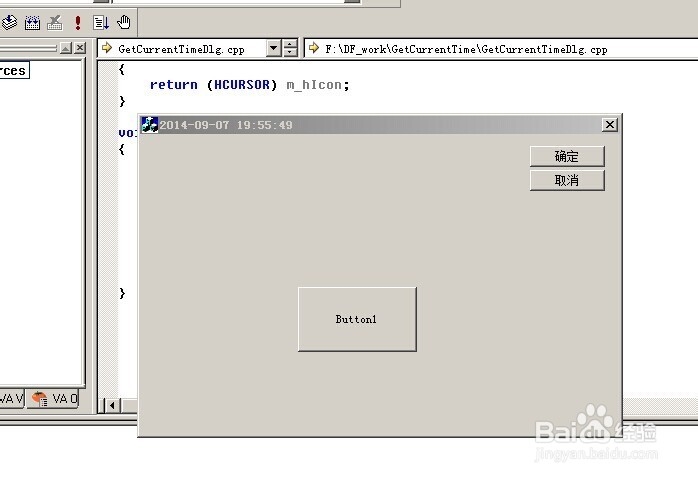
5、编译,运行。点击按钮,即可看到标题栏上的时间显示。
阅读量:96
阅读量:111
阅读量:37
阅读量:156
阅读量:79