速读免费小说App怎么开启系统通知?
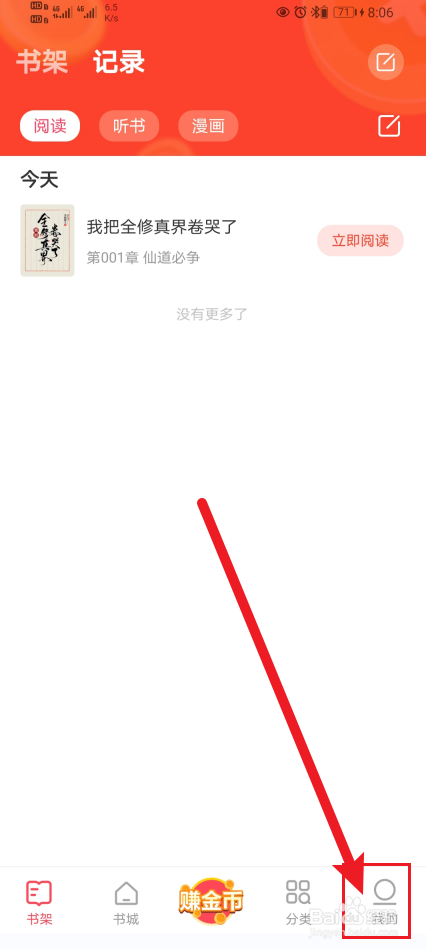
1、第一步:打开速读免费小说App,点击【我的】进入,如图所示。
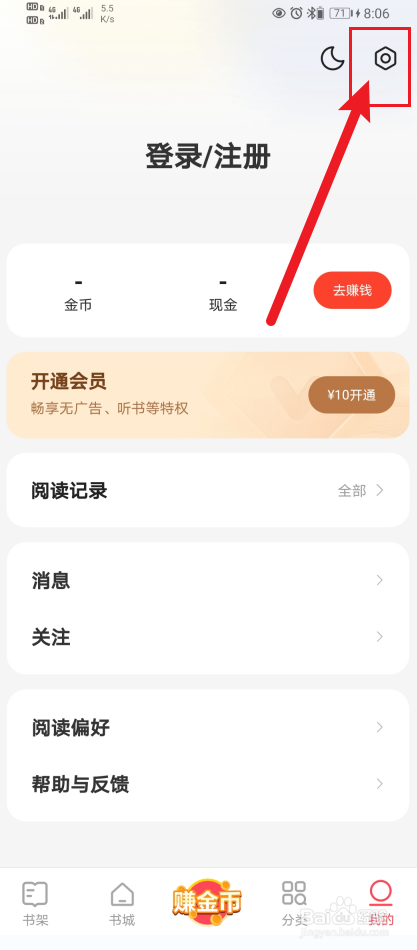
2、第二步:进入我的页面,点击【设置】进入,如图所示。
3、第三步:进入设置页面,点击【阅读设置】进入,如图所示。

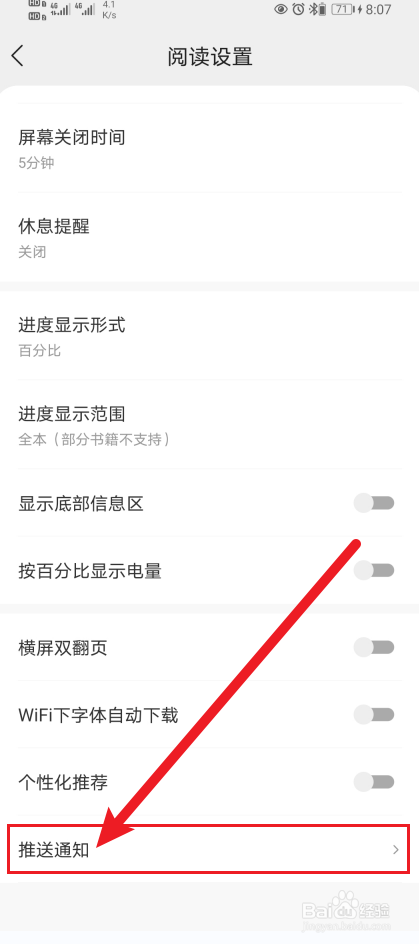
4、第四步:进入阅读设置页面,点击【推送通知】进入,如图所示。
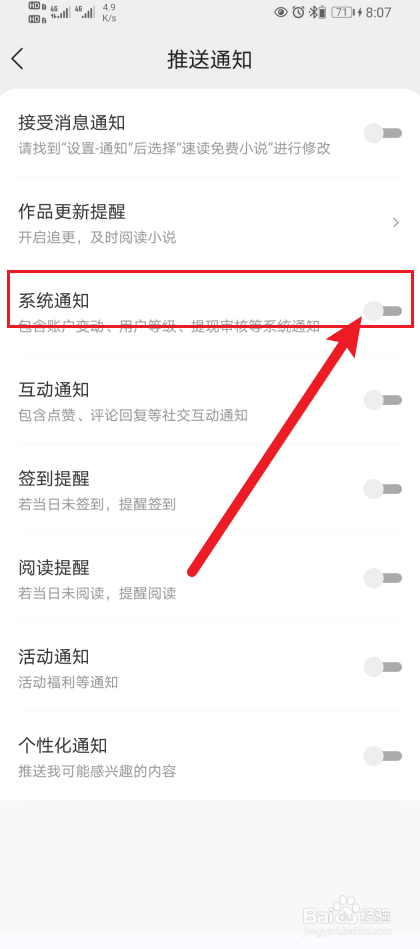
5、第五步:进入推送通知页面,开启【系统通知】即可,如下图所示。
阅读量:85
阅读量:72
阅读量:51
阅读量:21
阅读量:61
1、第一步:打开速读免费小说App,点击【我的】进入,如图所示。
2、第二步:进入我的页面,点击【设置】进入,如图所示。
3、第三步:进入设置页面,点击【阅读设置】进入,如图所示。
4、第四步:进入阅读设置页面,点击【推送通知】进入,如图所示。
5、第五步:进入推送通知页面,开启【系统通知】即可,如下图所示。